
Copy trading has to sign transactions the moment a blogger buys, without waiting for you. That is why copies run from a separate wallet held by FOMAFIA, not from your main Phantom or Solflare wallet. Keep in it only what you are ready to trade.
- 1
Open Account settings
Click your name in the top right, then Account settings, or press Create wallet in the Dashboard checklist.
- 2
Press Create wallet
A new Solana address appears in the list, ready for a deposit.
- 3
Name it (optional)
Rename it to tell wallets apart, for example Main and Degen.
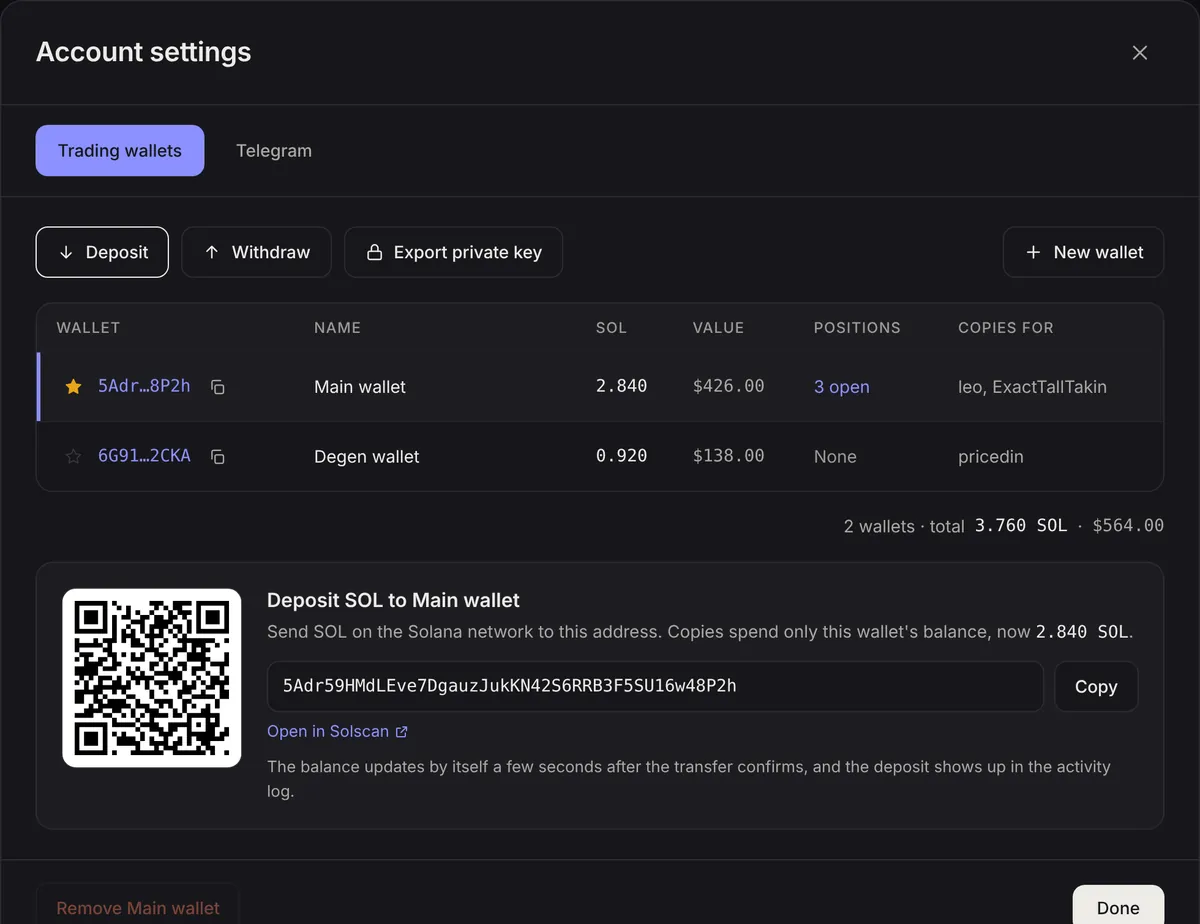
Several wallets
You can create more than one wallet with New wallet. Each copy strategy picks which wallet pays for it, so you can keep a careful strategy apart from a risky one. The star marks your primary wallet, the default for new strategies.
Removing a wallet
A wallet can be removed once it holds no tokens, no strategy uses it and its balance is below 0.001 SOL. Withdraw or export first.