
- 1
Open Withdraw
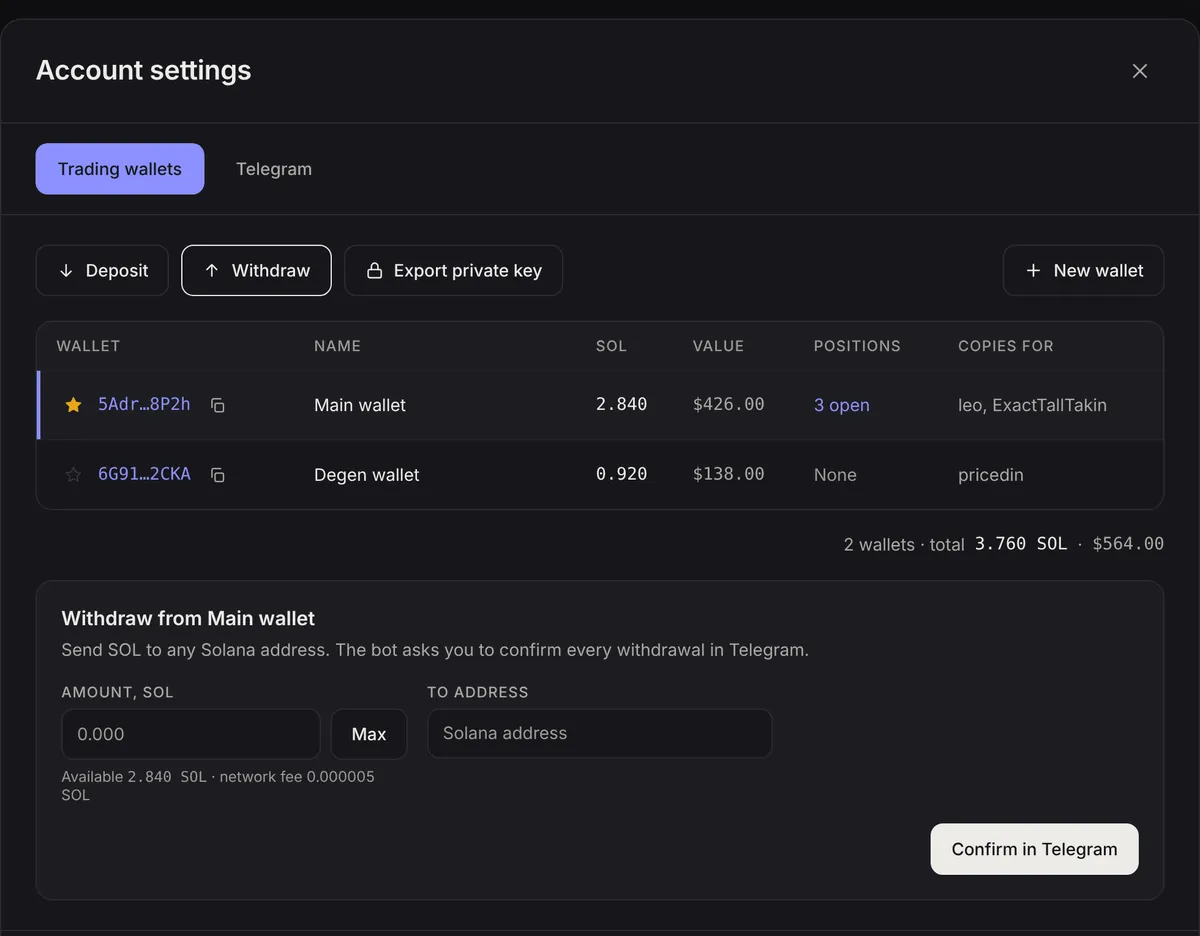
In Account settings select the wallet and press Withdraw.
- 2
Enter amount and address
Type an amount or press Max, then paste the destination address.
- 3
Confirm in Telegram
Press Confirm in Telegram. The bot sends the details with Confirm withdrawal and Cancel buttons. The request expires in 5 minutes.
- 4
Done
The transfer is sent as soon as you confirm. The web app shows the Solscan link.
Note. Tokens are not withdrawn as tokens. Sell open positions first (Positions page) and withdraw the SOL, or export the key to move tokens with your own wallet.